Experimentation is one of those areas of data work that looks straightforward from afar and becomes much more subtle once we try to do it carefully.
On the surface, this all sounds pretty simple: you split people into groups, show them different things, see what happens, and figure out if your change actually worked. But in practice, every single part of that sentence is hiding a bunch of tricky decisions. Like, who exactly counts as part of the group? What does “treatment” even mean here? How do you decide who gets what? What are you actually measuring to know if something changed? And underneath all of that, can you even trust that the comparison you’re making is truly cause and effect?
That mix is part of what makes experimentation so interesting to me. It sits at the intersection of statistical reasoning, product thinking, data modeling, and engineering discipline.
This project was a way to work on that intersection directly.
I used the UCI Online Retail dataset, a transactional dataset for a UK-based online retailer, to build an experimentation-style workflow in Databricks Free Edition using Spark SQL, Pandas, NumPy, and SciPy.
There is an important catch:
The dataset contains no real treatment.
No feature rollout, no campaign exposure flag, no policy change, no randomized assignment mechanism. So this is not an A/B test in the causal sense. It is a simulation of the workflow around one.
When I started the project, I chose the dataset thinking that a rich transactional table would be enough to practice experimentation and draw at least a rough analytical comparison from it. What became much clearer while building it is that experimentation depends much more heavily on the data-generating setup than I first appreciated. Without an observed intervention or assignment mechanism, I could still practice cohort construction, metric design, and statistical comparison, but not estimate a treatment effect in the causal sense.
That turned out to be one of the most useful outcomes of the project, so this article is really about both things: the workflow I built, and the boundary I learned to take more seriously.
Let us begin.
Table of Contents
What problem does an A/B test solve?
At the core of experimentation is a causal question.
For a unit i such as a user or customer, we can imagine two potential outcomes:
Yi(1),Yi(0)
Where:
- Yi(1) is the outcome if unit i receives treatment
- Yi(0) is the outcome if unit i remains in control
If we want to know the average impact of treatment, one natural estimand is the Average Treatment Effect:
ATE=E[Y(1)−Y(0)]
This formulation is elegant, but it immediately runs into the fundamental problem of causal inference:
For any given unit, we only observe one of the two outcomes.
We never see both Yi(1) and Yi(0) for the same customer at the same moment. One is factual, the other is counterfactual.
That is why randomized assignment matters so much. If treatment assignment is random, then in expectation the treatment and control groups are comparable, and the observed difference in outcomes becomes a reasonable estimator of the causal effect:
Δ^=YˉT−YˉC
In a real A/B test, the stats part is just what you see on the surface. The real work happens underneath. You need to nail down what exactly the treatment is, how people get assigned to it, what the randomization unit is, when you're measuring results, and, super important, a logging system that actually tracks everything the same way for everyone. Get any of those wrong, and the stats don't matter much.
Without those pieces, we may still have a useful comparison workflow. But we should be careful about calling the result a causal experiment.
Why this dataset is useful, and where it falls short
The Online Retail dataset is so useful because it gives you the kind of real-world transaction data you actually want. You can see who the customer is, what they bought in each invoice, how many items, what they paid, and exactly when it happened. Plus, you even get returns and cancellations.
From a data engineering and metric-construction point of view, that is excellent material.
But from a causal perspective, the missing piece is decisive:
There is no real intervention in the dataset, so there is no valid treatment effect to estimate.
That means this project cannot answer a question like:
"Did treatment increase conversion?"
because there is no real treatment to begin with.
What it can do is something more modest, but still useful:
- define an eligible population
- construct a cohorting mechanism
- build customer-level metrics
- compare groups with standard inferential tools
- and practice the workflow of experiment-table creation end to end
That is why I still think the project was worthwhile. It gave me a place to practice several important parts of experimentation work, while also making the missing causal layer impossible to ignore.
The dataset
The UCI Online Retail dataset contains historical transactional data from 2010 to 2011 for a UK-based online retailer.
So what does that mean in practice? A few things. First, we only get to see customers who actually bought something, no window shoppers. Second, we can see each invoice, each item, quantities, prices, timestamps, and who the customer was. And third, returns show up as negative quantities.
Even without a true treatment flag, this is still a useful dataset for practicing:
- customer-level aggregation from event data
- cohort definition
- metric design
- heavy-tailed spend analysis
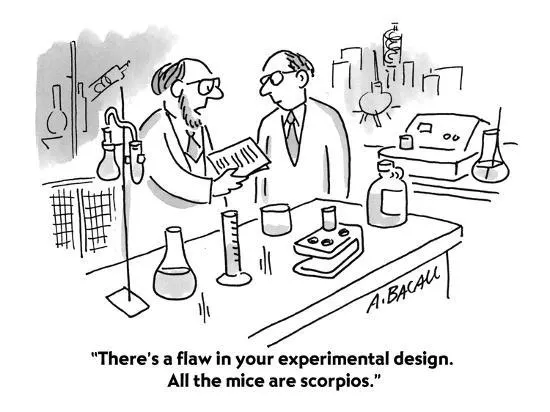
Experimental Design - Source: Aaron Bacall
You can find the full project (Databricks notebook + README + setup notes) on GitHub: ig-perez/retail-ab-experiment.
The stack
I intentionally kept the stack close to what I would use in a practical experimentation workflow:
- Platform:
Databricks Free Edition
- Compute / query layer:
Spark SQL
- Python tooling:
Pandas, NumPy, SciPy, Matplotlib
- Excel IO:
openpyxl
- Output artifact: a reusable customer-level metric table
One thing I really liked about this setup is how cleanly it splits the work. Spark SQL is great for building cohorts and putting together metric tables. Then Python takes over for the rest: running inference helpers, poking around the data, and making plots. It just feels like each tool does what it's best at.
That separation mirrors a lot of real data work, where the experiment table and the statistical comparison often live in different layers of the stack.
The simulated holdout
Since there is no real treatment, the notebook simulates a holdout-style design:
- Define an eligible population from pre-period activity
- Choose a future test window
- Assign customers deterministically to
treatment and control
- Aggregate customer-level outcomes during the test window
- Compare both groups using summary statistics and a significance test
The important point is not that this creates a real treatment effect estimate. It does not.
What it does produce is the shape of an experiment table: one row per unit, a variant label, outcome metrics, and a comparison framework.
I found that useful because experiment analysis depends heavily on how this table is constructed. Long before the t-test, there is already a modeling problem.
Assignment as a reproducibility problem
In a real experiment, assignment is a design object. We care about randomization, exposure, and the integrity of the assignment mechanism.
In this simulated setting, assignment becomes something slightly different: a reproducibility problem.
If we are going to simulate treatment and control groups, the partition should be stable across reruns, independent of execution order, and ideally stable across engine or session changes.
In Spark SQL, HASH() is not ideal for this because its behavior can vary across versions. So in the notebook I used XXHASH64 together with PMOD to build a deterministic bucket assignment:
CASE
  WHEN PMOD(XXHASH64(CAST(CustomerID AS STRING)), 100) < 50 THEN 'treatment'
  ELSE 'control'
END AS variant
This is a small detail, but it matters. If assignment is not reproducible, the downstream comparison becomes harder to debug and harder to trust.
More generally, this section reminded me of something important:
Even in a toy experiment, assignment is not just a line of code. It is part of the design.
Metrics: conversion and demand per customer
The notebook builds a customer-level metric table for the test month using two outcome variables:
converted: 1 if the customer purchased in the window, else 0demand_per_customer: total demand computed as quantity * unit_price during the window
I like this pairing because the two metrics behave very differently.
Conversion is binary and usually much easier to estimate precisely. Demand, on the other hand, tends to be noisy, skewed, and heavy-tailed. A few large customers can dominate the mean, which immediately creates a more delicate inferential problem.
But this isn't just a stats footnote. There's a real product analytics lesson here. Some metrics behave nicely. Some are all over the place. And not every business outcome is equally easy to measure well, no matter how much you wish it were.
That difference is part of what makes experimentation interesting in practice.
A quick word on inference
For a first pass, I used Welch's t-test to compare group means.
The estimated difference in means is:
Δ^=YˉT−YˉC
and Welch's test is useful here because it does not assume equal variances between treatment and control.
That is a sensible default in many practical settings, especially when working with spend-related outcomes where variance asymmetry is common.
Still, the interpretation here must remain disciplined.
Because there is no real intervention, Δ^ is not a treatment effect estimate in the causal sense. It is simply the observed difference between two deterministically assigned cohorts in this simulated setup.
That separation is one of the reasons I still value the project. It forced me to keep the statistical layer and the causal layer separate:
- statistical comparison is still possible
- causal interpretation is not justified
One practical detail from the notebook: some SciPy versions commonly available in managed runtimes do not support alternative=... in ttest_ind, so I used the default two-sided version for compatibility. I also added simple guardrails to fail gracefully when the sample size is too small or when the metric has zero variance.
What I liked about working in Databricks
My favorite part of the project was how quickly I could go from raw transactional data to a clean experiment-style table.
A few things worked especially well:
Pandas for quick inspection and lightweight transformationsSpark SQL for cohort definition and metric-table construction- Python again for inference and visualization
For this kind of work, that mix feels natural.
I also liked that Spark SQL made the table-building logic read almost like a recipe. Eligibility rules, windows, assignments, and aggregations are all easier to reason about when expressed declaratively.
For a constrained environment and a small project, Databricks Free Edition felt surprisingly capable.
If I revisited it
This notebook is intentionally a minimum viable experimentation workflow, but there are several obvious directions I would take it next.
The first group of improvements would be methodological:
- Bootstrap confidence intervals for heavy-tailed demand
- CUPED with pre-period covariates to reduce variance
- Difference-in-differences with explicit pre/post windows
- more explicit balance checks between simulated groups
The second group of improvements would be about data choice.
The biggest limitation of the project is not the tooling, nor the metric logic, nor the test statistic. It is the absence of a real intervention. If I were redoing the project, the strongest upgrade would be to start from a dataset where treatment is genuinely observed.
A few candidates I would consider:
That is probably the clearest lesson I took away from the project. I originally chose the dataset because it looked rich enough to support an experimentation-style analysis. What I understand better now is that richness in transactions is not the same thing as validity for experimentation. In this kind of work, the quality of the design often matters more than the sophistication of the final statistical test.

CUPED! - Source: Own/IA
Closing thoughts
If there's one thing this project really drove home for me, it's a distinction I hadn't fully appreciated before.
There's a real difference between setting up an experiment-style table, running a statistical test, and actually claiming you've found a causal effect. On paper, they sound like they naturally go together. But in practice, they can be surprisingly far apart.
They're related, sure. But they're not the same thing.
And that matters because, at least in my experience, it's easy to drift from one to the next without really noticing. You compute a difference in means, you see a small p-value, and before you know it, the language starts sounding more causal than the design probably supports.
This project pushed me in the opposite direction. It made that boundary a lot harder to miss.
And honestly, that boundary is part of why I find experimentation interesting. Not just as a statistical exercise, but as a discipline of thinking carefully about interventions, assignment, measurement, and what you can actually claim at the end.
It also left me with a question I keep coming back to: how much of what gets called experimentation in practice is real causal inference, and how much is post-hoc analysis dressed up in experiment clothes?
I don't mean that as a knock on anyone—myself included. If anything, I see it as a useful warning. Especially when a dataset makes comparison easy, but interpretation much harder.
A good experiment isn't just a test you run on a table. It's a design.